
AI Assistant
- What It Is
- Switching It On or Off
- Opening the Assistant
- What You Can Ask
- What It Will Not Do
- Who Sees What
- Daily Limit
- Tips for Better Answers
- Messages You May See
What It Is
The TradeOne AI assistant is a chat helper built into the app. You ask in plain English, and it answers in plain English. It does two jobs:
- Explains how to use TradeOne: "How do I receive a purchase?"
- Answers questions from your own live data: "How much did we sell last week?"
It is read-only. It looks things up. It never changes your data.
Switching It On or Off
The assistant is controlled by the AI assistant switch in Administration > Business Settings > Features. It is on by default. When it is off, the chat button disappears for everyone. See Business Settings.
Opening the Assistant
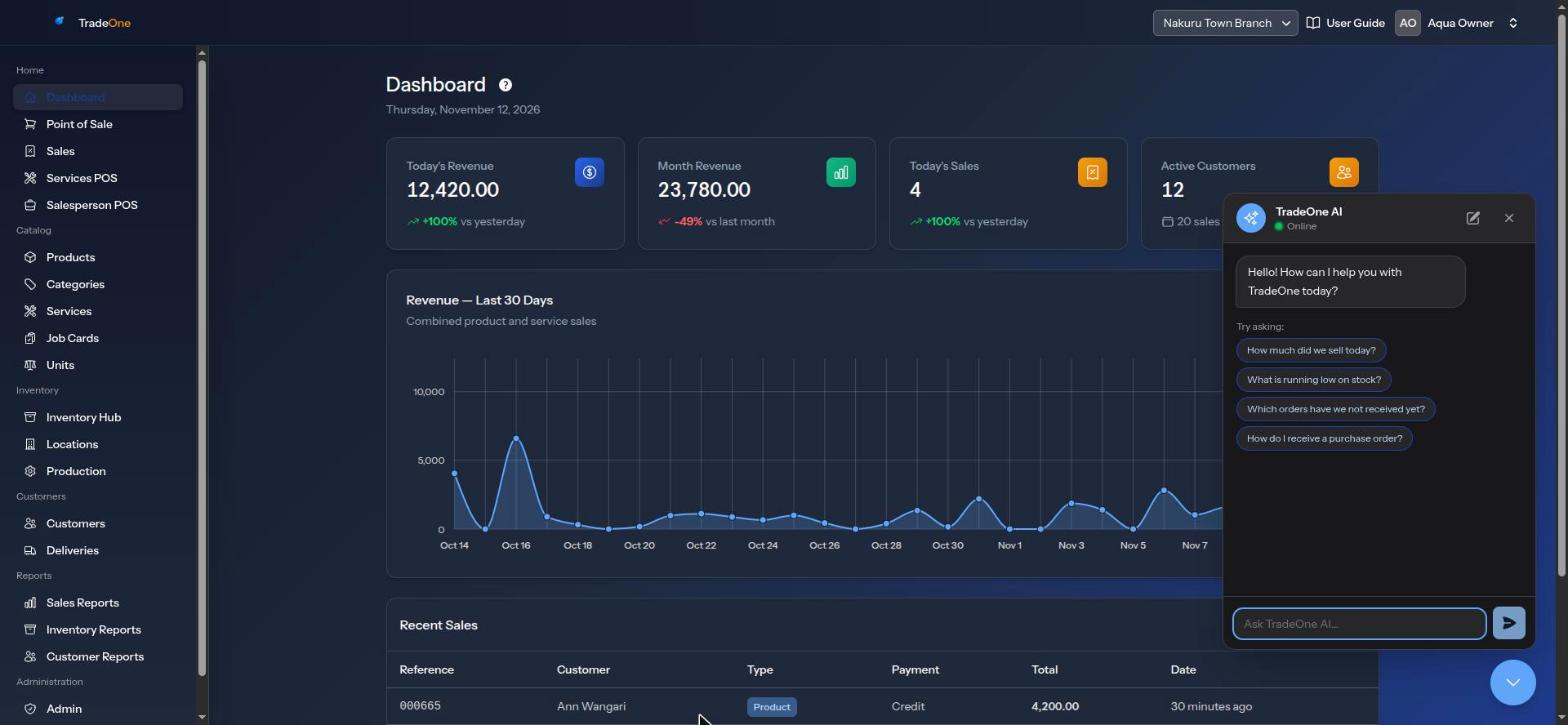
- On the web: press the round chat button floating at the bottom of any page. It is labelled "Open TradeOne AI assistant". The panel opens.
- On the mobile app: Menu > AI assistant.
Type your question in the box, "Ask TradeOne AI…" on the web or "Ask a question…" in the app, and send it. The first time, you see example questions under "Try asking:". Press one to ask it.
Use the new conversation button to start again. Use the close button to hide the panel.
The assistant knows which page you are on, so "What does this tab do?" gets an answer about that page.
What You Can Ask
How Do I Use the App
It answers from the same help notes that describe each page: the point of sale, products, inventory, deliveries, job cards, production, reports, business settings, administration and so on. For example:
- "How do I add a product with several sizes?"
- "Why is Transfers not showing in the Inventory Hub?"
- "How do I reprint a receipt?"
Questions About Your Business
When you ask for figures, it uses a set of safe, read-only lookups. These are the areas it can look into:
| Area | Examples | Permission you need |
|---|---|---|
| Sales | Sales this week, best sellers, sales by cashier | reports.sales |
| Stock | What is low, how much of an item we hold | reports.inventory |
| Purchases | What we bought from a supplier, what we owe | purchases.view or reports.inventory |
| Customers | Who owes us, top customers, one customer's account | reports.customers |
| Salesperson stock | What each salesperson holds, issued, returned, sold | Salesperson POS on, and a permission to match |
| Deliveries, production, job cards | How many open, how many done | The page's own permission, and the module on |
| Activity | Who did what, and when (the User Trail) | audit.view |
Examples:
- "What were total sales yesterday?"
- "Which items are below their reorder level?"
- "Who owes us the most money?"
- "How many deliveries failed this week?"
What It Will Not Do
- It cannot make a sale, receive stock, change a price, void a sale or change any setting. You do those yourself in the app.
- It will not guess figures. If it cannot look something up, it says so.
- It does not show database details, internal codes or other businesses' data.
Note
Treat its answers as a quick guide. For anything that matters, such as a figure you will report, confirm it in the Reports pages.
Who Sees What
Each person gets answers only about what their own permissions allow. A cashier without reports.sales cannot get sales totals from the assistant.
Daily Limit
Each business has a daily limit on AI questions. The standard limit is 50 questions a day for the whole business. Your TradeOne provider can set a different limit for your business. When you reach it, you see "Your business has used all 50 of today's TradeOne AI questions. The count starts again tomorrow."
In the mobile app there is also a speed limit of 30 questions a minute.
Tips for Better Answers
- Ask one thing at a time.
- Give a time period: "this month", "last week", "on 5 November".
- Name the item, customer or cashier clearly.
- To dig further, ask a follow-up. It remembers the conversation.
Messages You May See
| Message | Meaning |
|---|---|
| "The AI server is not reachable right now. Please try again in a moment." | Wait and try again |
| "Your business has used all ... of today's TradeOne AI questions. The count starts again tomorrow." | The daily limit is used up |