
Subscription
- How Your Subscription Works
- The Expiry Warning
- When the Subscription Has Expired
- Renewing
- After You Renew
- Plans
How Your Subscription Works
Your business uses TradeOne under a subscription with an end date. The subscription belongs to the whole business, not to one user. When the date passes, nobody in the business can use TradeOne until it is renewed.
TradeOne warns you before this happens, so there is time to renew.
The Expiry Warning
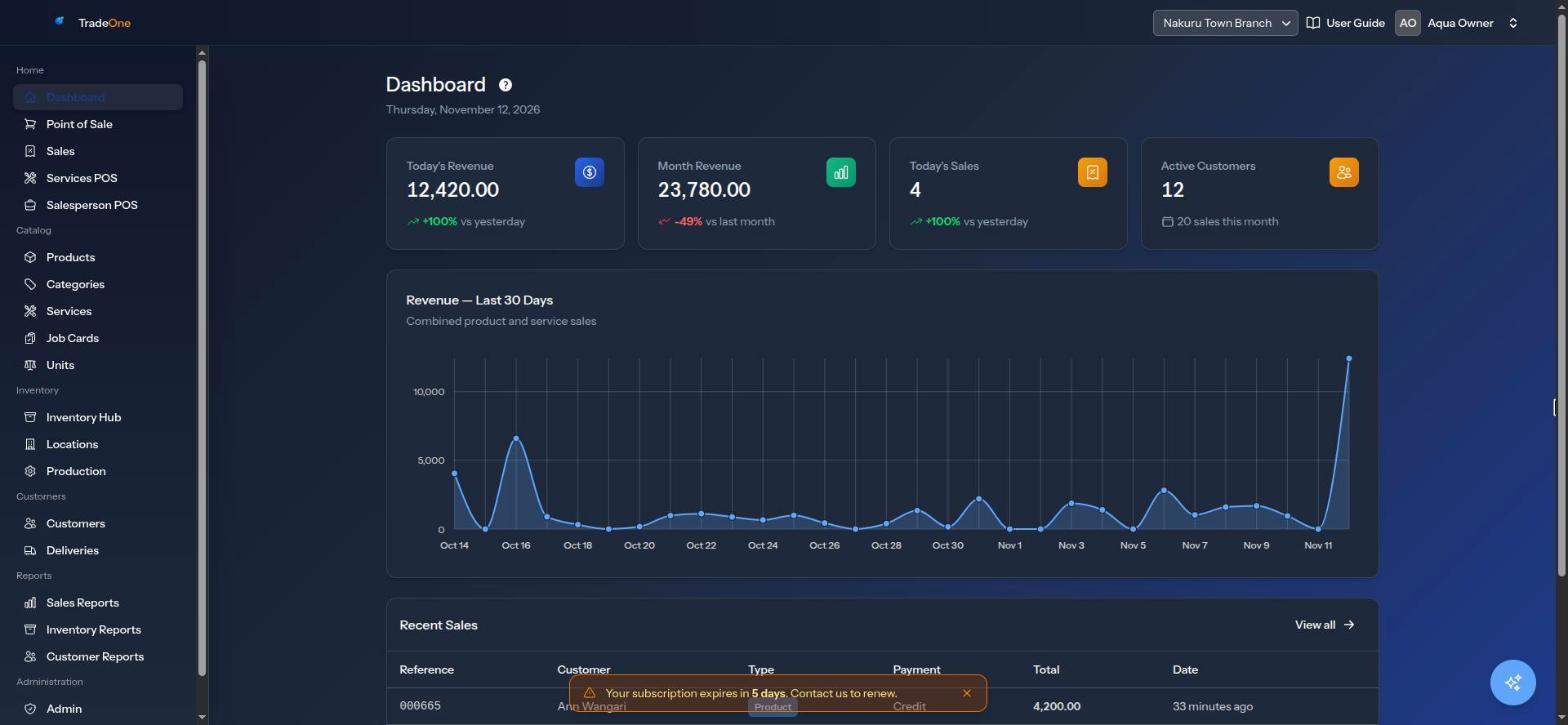
In the last 7 days before the end date, a warning shows on every page of the web app. It is an amber box at the bottom of the screen. It says:
- "Your subscription expires in 5 days. Contact us to renew."
- "Your subscription expires tomorrow. Contact us to renew."
- "Your subscription expires today. Contact us to renew."
Press the cross to hide it. It comes back on the next page you open.
The mobile app shows the same amber warning above the tab bar with the same words. Pressing the cross hides it until you reopen the app. The number of days is counted by calendar day, in your own time zone.
Note
Everyone in the business sees the warning, not only the owner. Tell the owner as soon as you see it.
When the Subscription Has Expired
On the Web
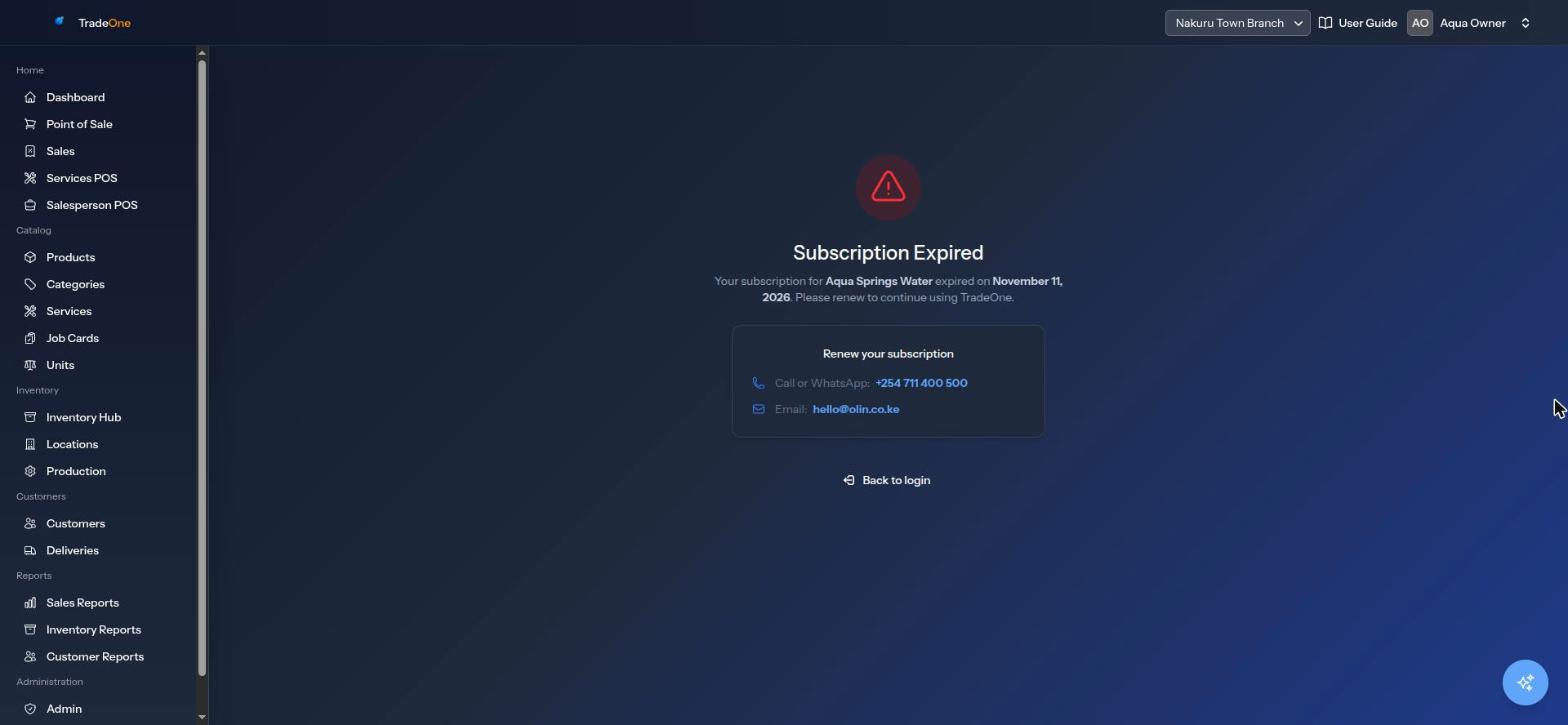
After the end date you can still sign in. But every page takes you to Subscription Expired. It says:
"Your subscription for Baraka Water Point expired on November 12, 2026. Please renew to continue using TradeOne."
Below this, "Renew your subscription" gives two ways to reach TradeOne support:
- Call or WhatsApp: +254 711 400 500
- Email: hello@olin.co.ke
The Back to login button takes you back to the login page. Nothing else in the app works until the subscription is renewed. That includes the till.
On the Mobile App
- If you try to sign in after expiry, the app says "Your account is inactive or the subscription has expired."
- If you are already signed in when it expires, the app shows Subscription expired with the end date and the same phone and email as above. It checks again each time you open the app.
- The button I have paid, check again asks the server again. If it is still expired you see "Still expired. If you have just paid, wait a minute and check again."
- Sign out returns you to the login screen.
Renewing
Contact TradeOne support on the number or email above. Tell them your business name and the payment you made. The app does not take payment itself.
The warning and the expiry screens show only the phone and email. They do not show a Paybill or till number. Ask support for the current payment details.
After You Renew
When TradeOne support updates your end date:
- On the web, reload the page or sign in again. The expired page goes away.
- On the app, press I have paid, check again.
Your products, stock, customers and sales are not changed by the expiry itself.
Plans
TradeOne comes in two plans:
- Basic: starts without the Services module.
- Pro: starts with the Services module on.
You can still switch modules on or off in Business Settings > Features. See Business Settings.